| Function | Description |
| Cloud Account Management |
| Signup/login | Allows user to sign up with email address or mobile phone number (certain countries/regions) |
| Allows user to choose a service region during signup (cannot change once signup is complete) |
| Allows user to log in with username, email address or mobile phone number (certain countries/regions) |
| Remembers recent accounts that user has successfully logged in to |
| Management | Allows user to change password and personal information |
| Allows user to change the email address or mobile phone number used for signup |
| Allows user to cancel account |
| Project Management |
| Project management | Allows user to create, edit, delete projects |
| Allows user to search projects by project name |
| Allows user to deliver one or multiple devices at a time |
| Supports project operation and maintenance |
| Device Management |
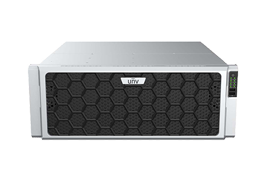
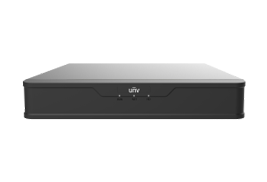
| Device management | Max. 5,000 devices or 10,000 channels |
| Supports IPC, NVR |
Allows user to add devices by auto-search on LAN, scanning QR code, or adding devices manually (P2P)
Supports Wi-Fi devices |
| Allows user to edit, delete devices |
| Automatically syncs cloud devices when user logs in to the cloud account |
Allows user to upgrade devices/channels by cloud, export diagnostic information
Supports device speed test
Supports device packet capture |
| Supports batch configuration for devices, including network configuration, video configuration, and cloud upgrades |
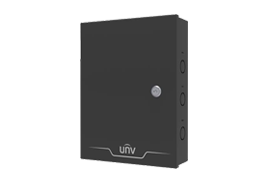
| Connect Box |
| Connect Box | Supports connection to Connect Box |
Shows Connect Box information:
Voltage detection, 12V output voltage, 12V output current, PoE detection, PoE output voltage, PoE output current |
| Discovers and lists IPCs under Connect Box for quick live view and configuration |
| Live View |
| Live view | 1-window live view |
| Allows user to choose video quality: HD/SD/Smooth (main/sub/third stream) |
| Supports saturation, brightness, image rotation, contrast, sharpness, 2D NR |
| Supports corridor mode |
| Supports digital zoom |
| Allows user to quickly switch to playback during live view |
| Allows user to save snapshots and recordings to mobile phone |
| Shows the real-time bandwidth usage (Kb/s) and packet loss rate |
| Shows Wi-Fi signal strength for Wi-Fi devices |
| PTZ control | Supports 4 rotation directions (up, down, left, right) |
Focus, zoom, and PTZ presets
Note: The actual PTZ control function available may vary with IPC and NVR |
| Two-way audio | Supports two-way audio with IPC, NVR-connected IPC, and NVR.
Note: The actual function available may vary with IPC and NVR |
| Allows user to choose a two-way audio device by the tap and hold gesture |
| Recording & Playback |
| Recording search | Supports searching recordings by time
Supports searching recordings by recording type (motion, VCA, alarm, normal) |
| Allows user to switch video quality |
| Allows user to drag on the timeline to search video, and pinch to zoom in or out |
| Allows user to quickly switch to live video during playback |
| Playback | 1-channel playback |
| Allows user to start/pause playback |
| Allows user to turn on/off audio during playback |
| Supports corridor mode |
| Supports digital zoom |
| Allows user to save snapshots and recordings to mobile phone |
| Shows Wi-Fi signal strength for Wi-Fi devices |
| Alarm Search |
| Alarm list | Allows user to search alarms from IPC, NVR-connected IPC, and NVR
Allows user to view alarm recording and snapshot (if supported by the alarm type) |
| Device Configuration |
| Remote configuration | Supports configuration of time, network, image, video, audio, PTZ and advanced configuration |
| Supports motion detection, intrusion detection, cross line detection, enter area, leave area, auto track, disarming, and custom alarm sound |
| Supports recording schedule, storage configuration |
| Note: The actual functions available may vary with IPC and NVR devices |
| General Settings |
| Alarm & playback time zone configuration | Alarm and playback support time display as per the time zone of device/mobile phone |
| Password protection | Digits/pattern |
| Auto pause video | Automatically pauses video if there’s no user action within a certain length of time |
| Optimize video fluency | Supports optimum video fluency |
| Data usage | Shows cellular/Wi-Fi data usage statistics |
| Others |
| Software upgrade | Automatically checks for updates |
| EZCloud announcement | Supports EZCloud notices |
| Help | Tutorial video |
| Links to device quick guide and user manual |
| Customer service phone number |
| Languages | Multiple languages |
| Installation Environment |
| OS | iOS (11.0 or later), Android (7.0 or later), HarmonyOS (2.0, 3.0, and 4.0) |
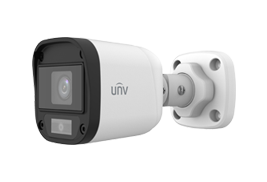
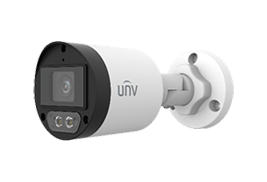
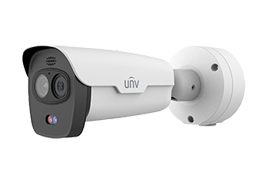
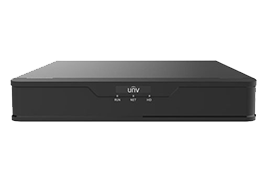













 X
X

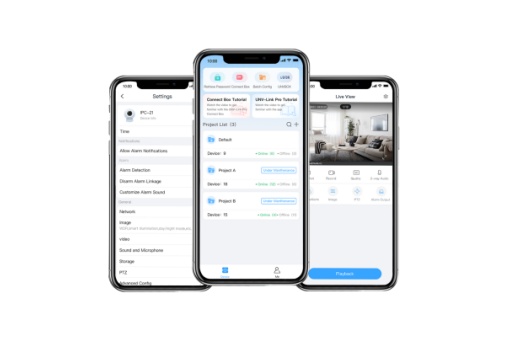


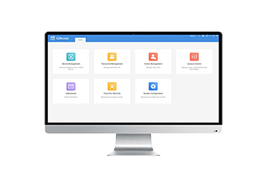
 Project management: efficient management of multiple projects.


