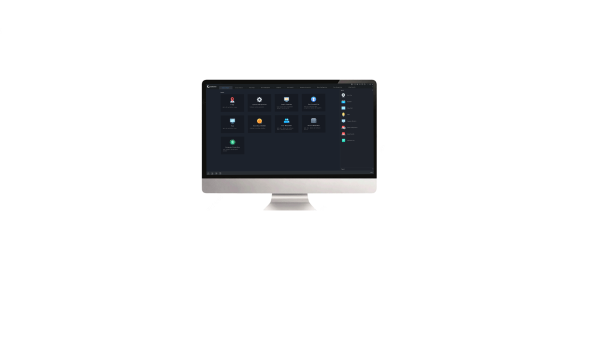
| | SWP-EZStation-Mac |
| Management |
| Ordinary Video Channel | 512 |
| Decoding Device | 32 |
| Encoding Device (IPC, NVR) | 64 |
| Access Control Device | 32 |
| Video Wall | 20 |
| People Counting Group | 20 |
| Channels Per People Counting Group | 128 |
| Device Management |
| Device Management | Device discovery (auto discovery, specify network segment)
Add devices by IP address/domain name/EZDDNS
Cloud device management (add, edit, delete and share)
Group devices, view device status, restart device, sync device time with PC time
Remote configuration (image parameters, encoding parameters, OSD)
Fisheye camera supported |
| Live View |
| Live View Screen Layout | 1 / 4 / 5 / 6 / 8 / 9 / 10 / 13 / 16 / 17 / 25 / 32 / 36 / 64 split view
1 / 4 / 9 / 16 / 25 default view and custom view
3 auxiliary screens
Custom layout |
| PTZ Control | Pan, tilt, zoom, shortcut PTZ, focus, preset, patrol, 3D positioning, IR control, wiper control, heat control, snow removing, auto guard
Note: Actual functionality may vary depending on device capability. |
| Live View Audio | Camera audio, two-way audio
Note: Actual functionality may vary depending on device capability. |
| Live View | Group display, sequence display, snapshot, continuous snapshot, digital zoom, scene, instant playback, local recording, default and custom view, custom stream, corridor mode, manual alarm, window maximization, alarm output control |
| Playback |
| Playback Recording | Play back recording from NVR and SD card
Play back POS recording
16-ch (Async)/16-ch (Sync) playback
Display recording status on a calendar
Recording in .ts, .mp4 format |
| Playback | Local recording, scheduled recording, play back recording by type (normal recording, event recording, VCA recording, smart recording), download recording by file/time, snapshot, digital zoom, -16x~16x speed for forward and backward, audio, instant playback, play back local recordings, smart playback, playback by image, playback by frame, playback in default/custom view |
| Alarm |
| Alarm Type | Multiple alarm types |
| Alarm Linkage | Live view, recording, email, preset, sound, etc.
Trigger other IPCs |
| Alarm Records | Alarm level filter
Real-time alarm info display and acknowledge, and alarm video preview
History alarm display/acknowledge/search |
| Video Wall Function |
| Video Wall Configuration | Auto-bind decoding channel
Control by power distribution box
Small pixel pitch LED
Local video source |
| Virtual LED | Multiple virtual LEDs
Edit font, transparency, background color, font spacing, font alignment, scrolling mode, scrolling speed |
| Window Operation | Open window by one-click or coordinates
Roam, resize, and snap window
Arrange windows by split ID
Lock/unlock window |
| Video Wall Operation | Play live view/playback, sequence resource on video wall, and alarm to video wall |
| E-Map |
| E-Map Format | PNG/JPEG/BMP |
| Map Alarm | Alarm flash, search and acknowledge |
| E-Map | Hot spot, hot zone, map zoom in/out, eagle eye, alarm output control
Supports Uploading a Maximum of 20 Images; up to 7 layers of maps are allowed. |
| People Counting |
| People Counting Realtime Statistics | Form a counting area with multi-cameras to count people coming in/out/remaining, and monitor crowd density in real time
Note: People counting camera must be connected to EZStation via an NVR. |
| People Counting Report Statistics | People flow counting in a specific area
Statistics by minute/hour/day/month, statistics of the day, last 7 or 30 days
Display statistics in a bar chart, line chart or table, show statistics at a specified time point
Export data to a CSV file |
| Perimeter Protection |
| Perimeter Protection Realtime Monitoring | View live videos (up to 4 cameras), and view alarm records in real time |
| Perimeter Protection Functions & Features | Play and download 10s VCA alarm recording saved on NVR (5s before and 5s after a VCA alarm)
View and download VCA alarm images saved on NVR
Export search results
Note: Currently only supports cross line detection, intrusion detection, enter area detection, and leave area detection. |
| Face Petection |
| Face Detection Configuration | Change temperature unit, configure Smart detection alarm and abnormal body temperature alarm
(1) Convert between Celsius and Fahrenheit
(2) Alarm parameters: enable Smart detection alarm, body temperature alarm, abnormal temperature threshold, alarm sound, alarm-triggered pop-up window, alarm-triggered email
Configure face attribute display information, including face match/not match/snapshot display information |
| Face Detection Realtime Monitoring | View live images from up to 4 cameras, view snapshots and real-time face detection alarms
Detect abnormal body temperature and Smart detection status
Note: Alarms will be reported only if the corresponding monitoring task has been configured. |
| Face Llibrary Management | Add, delete face library, edit face library name
Add face data in batches, edit, delete, import and export face data
Filter face data by name, ID number and gender |
| Face Detection Monitoring Task | Monitor using a face library and report alarms
Set task name, alarm type (match alarm, not match alarm, all), choose face library to be used for a monitoring task, and set alarm threshold |
| Face Detection Alarm Records | Search face match/not match alarm records from NVR
Search alarm records of a device with criteria such as monitoring type, alarm time, name, ID number, and similarity
Quick adding of strangers to face library, view original snapshot
Export search records |
| Pass-thru Records | Search pass-through records from NVR
Search pass-through records of a device by alarm time
Quick adding of strangers to face library, view original snapshot
Export search records |
| Search By Image | Search pass-through records by a face image for similar faces
Search images with criteria such as face image, time and similarity
Search by a library image or local image
Search the alarm video before and after the alarm event |
| Access Control |
| Access Control Configuration | Add access control devices (filter, time sync, open Web page)
Change temperature unit, configure Smart detection alarm and abnormal body temperature alarm
(1) Convert between Celsius and Fahrenheit
(2) Alarm parameters: enable Smart detection alarm, body temperature alarm, abnormal temperature threshold, alarm sound, alarm-triggered pop-up window, alarm-triggered email |
| Access Control Person Management | Add, delete face library, edit face library name
Batch add faces to face library, delete and edit personal information, import/export, template download
Search personal information by name and ID number |
| Access Control Realtime Monitoring | Live view (up to 4 cameras), remote door opening, real-time pass-through records |
| Access Control Entry/Exit Records | Search entry/exit records of a device with criteria such as time, wearing or not wearing Smart detection, body temperature range, name, IC card number
Quick adding of strangers to face library, view original face snapshot image
Export search records |
| User Management |
| User Management | Add, edit and delete user, search user |
| User Level | Super administrator, administrator, operator |
| User Information | User name, password, user level, permissions
Different default permissions for different user levels
Assignable permission(s) of each user |
| Operation Logs |
| Log Search | Search logs using criteria, view details, export user operation records
Log records include usernames, operation details, and results |
| System Configuration |
| Audio & Video | Configure video play mode, stream type, processing mode, stream transmission protocol
Play main stream in maximized live view window
Enable shortcut PTZ control, VCA rule, and GPU mode
Configure snapshot mode, continuous snapshot interval, number of continuous snapshots, snapshot format, image save path
Configure format and save path for local and downloaded recordings
Configure storage policy, recording space, and recording file size
POS display position, font size, font color, and duration |
| System | Enable auto login to EZStation/Windows
Set retention period for operation/alarm log
Import and export configuration |
| Operation | Set alarm duration, alarm recording start and end time
Enable auto time sync, set synchronization interval
Configure SMTP server and email address used to send/receive emails
Epidemic control: configure temperature unit, Smart detection, body temperature measurement, abnormal body temperature threshold and others
Configure face attribute display information, including face match/not match/snapshot display information |
| System Requirement |
| EZStation 3.0 64-bit | Operating System: Microsoft Windows 7/Windows 8/Windows 10 (64-bit)
CPU: Intel Core i5 3.1 GHz or higher
Memory: 4GB or higher |
| EZStation 3.0 32-bit | Operating System: Microsoft Windows 7/Windows 8/Windows 10 (32-bit or 64-bit)
CPU: Intel Pentium IV 3.0 GHz or higher (4Cores, 3.0 GHz recommended)
Memory: 4GB or higher |
| EZStation 3.0 Mac | Operating System: Mac OS 10.11 or higher
CPU: Intel Core i5 3.1 GHz or higher, Apple M1
Memory: 4GB or higher |








_1013747_651995_0.png)