








_1013747_651995_0.png)




 X
X
 GLOBAL / ENGLISH
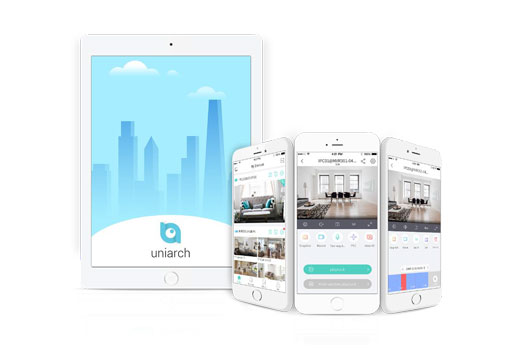
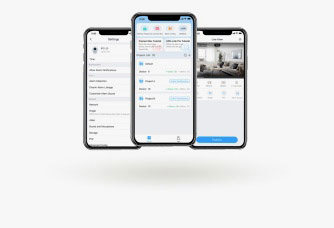
 Add a device by QR code scanning.
Share a device to multiple users, and allow multiple users to log in to the same account from multiple clients simultaneously.
Live view: live video in split view on multiple screens, resume live view, PTZ control, two-way audio, image quality, snapshot and record.
Playback: recording search, synchronous playback, 4/9-split, SD card recording playback.
Alarm: Real-time motion detection alarm, alarm video, batch handling of alarm messages.
Sharing: Share device/channel, set sharing period and permissions, view/edit sharing history, cancel sharing.
Cloud account management: sign up with an email address, edit account info, retrieve password.
File management: sort image/video by type, export files, share files via third-party apps.
| Function | Description |
| Device Management | |
| Device management | Max. 6 devices or 100 channels Add a device by scanning QR code or entering serial number Edit/delete devices Upgrade and share device/channel |
| Live View | |
| Play control | 1/4/9/16 split view Live view on multiple screens Image quality: HD/SD/Smooth (main/sub/third stream) Drag video to play in another window Play/pause video in selected window Resume live video in the previous split view Tap to playback in the selected window Snapshot and record; tap to view saved snapshots/videos |
| PTZ control | 8 directions Focus, zoom Note: Actual functionality may vary depending on device capability. |
| Two-way audio | Two-way audio with NVR and camera (including NVR-connected camera) Note: Actual functionality may vary depending on device capability. |
| Recording and Playback | |
| Search | Search by date and device Display recording status on the calendar Custom video start time Image quality: clear/smooth (sub/third stream) Drag the timeline to search, pinch the timeline to zoom in/out (5/10/30/60m timeline scale) |
| Playback | Up to 4-ch playback synchronous playback Split video into small segments by 4-split or 9-split to pinpoint an event Play recordings saved on an SD card Digital zoom Snapshot and record, tap to view saved snapshots/videos. 1/4x, 1/2x, 1x, 2x and 4x playback speed Resume playback in the previous split view |
| Cloud Account Management | |
| Sign up and login | Sign up by an e-mail address Remember accounts that you have successfully logged in |
| Management | Share Uniarch account Change password and edit personal info Change registered e-mail address |
| Share | |
| Configuration | Share device/channel |
| Set sharing period and permissions | |
| Sharing list | Display sharing history |
| Edit/cancel sharing | |
| Alarm message | |
| Message list | Motion detection alarm |
| Push alarm messages in real time | |
| View alarm recording (only when alarm recording exists) | |
| Batch message operation | |
| File Management | |
| File list | Sort by type (image/video) |
| Delete files | |
| Export files to mobile phone | |
| Share files via third-party apps | |
| Press and hold to select multiple files | |
| Batch file operation | |
| Common | |
| PTZ speed | 1-9 levels |
| Do Not Disturb | When enabled, the mobile phone does not alert you when an alarm is received. |
| Data usage | Cellular/Wi-Fi data usage |
| Tool | |
| Temporary device password | Obtain a temporary device password by QR code scanning or entering device serial number |
| About | |
| Version upgrade | Check for update automatically |
| Help | FAQ |
| Customer service | Customer service info |
| Requirements | |
| Operating system | iOS 8.0 or later Android 4.0 or later |
| Memory | 1 GB or higher |
| Display resolution | 480 x 800 or higher |
| Compatibility | Android and iOS mobile phone and pad |