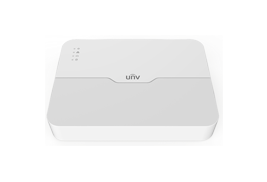
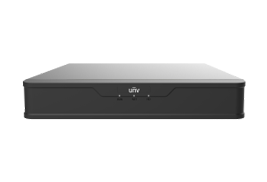
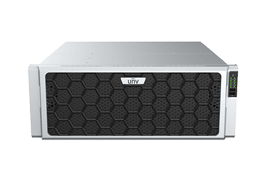
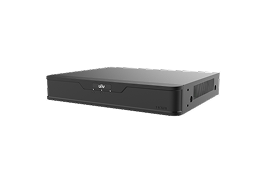
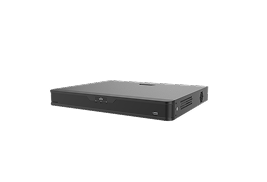
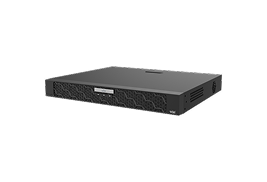
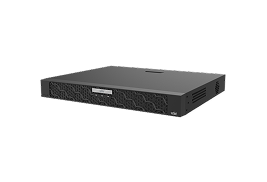
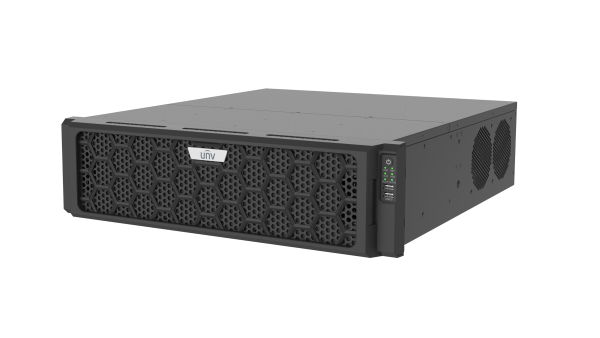
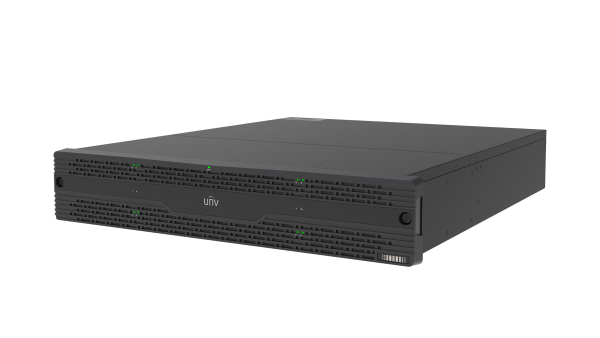
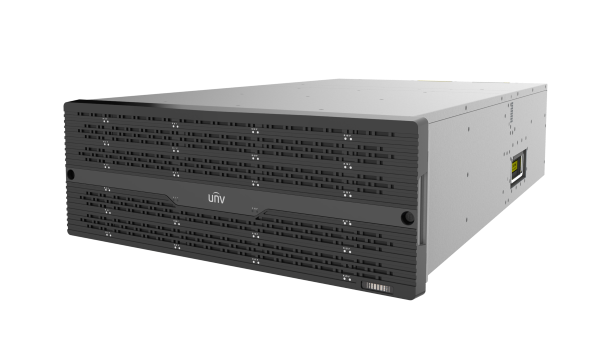
| | UG-I500-H16-IN |
| Resource Management |
| Encoding Devices | 1000 |
| Video Channels | 2000 |
| Access Control Devices | 300 |
| Video Intercom Devices (door station) | 300 |
| Video Intercom Devices (indoor station) | 2000 |
| Smart Channels (including face detection, LPR, multi-target detection) | 500 |
| Cloud Devices | 256 |
| Onvif Devices | 1000 |
| Alarm Controllers | 800 |
| 3rd-party integration, built-in DA | Max. 3 sets, including 2 sets of SDK① |
| Storage Device |
| IPSAN | 10 |
| Event/Alarm(single item) |
| Events/Alarms without Images per Second | 150 |
| Events/Alarms with Images per Second | 15 |
| Push Events/Alarms to Client per Second | 15 |
| Organization |
| Organizations | 1000 |
| Organization Levels | 26 |
| User and Role |
| Roles | 500 |
| Users | 2000 |
| Maximum Number of Roles per User | 32 |
| Concurrent Online Users | 50 |
| Data Storage |
| Alarm Logs | 10000000 |
| Operation Logs (retention period) | 6 months |
| Access Control Events | 10000000 |
| People Counting. | 10000000 |
| Visitor Records | 10000000 |
| Attendance Records | 10000000 |
| Vehicle Passing Records | 10000000 |
| Call Records. | 10000000 |
| Personnel |
| Persons | 50000 |
| Vehicle and Parking |
| Vehicles | 10000 |
| Vehicle Libraries | 32 |
| Parking Lots | 4 |
| Entrances & Exits | 8 |
| Lanes | 16 |
| Streaming Media |
| Receiving Bandwidth (Mbps) | 650 |
| Forwarding Bandwidth (Mbps) | 650 |
| Storage Bandwidth (Mbps) | 650 |
| Concurrent Central Storage Channels | 250 |
| Concurrent Central Playback Channels | 30 |
| P2P |
| P2P Receiving Bandwidth (Mbps) | 250 |
| P2P Forwarding Bandwidth (Mbps) | 250 |
| User Management |
| User Login | Multi-client login
Strong password policy, mandatory password reset at first login
Requires users to read the privacy agreement at login |
| Login Management | Limit failed login attempts; block the IP address after 5 consecutive failed login attempts, with automatic unlock after 5 minutes |
| Strong Password Verification | Password strength enforcement; strong passwords required for cross-subnet access, with configurable policy (enable/disable) |
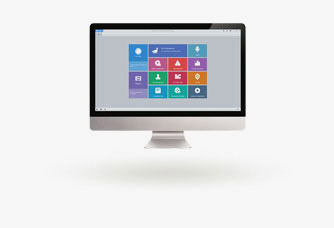
| Data Dashboard | Customizable titles and functional modules; supports full-screen display mode |
| Custom Menus | A user can customize menu display order and content within the scope of his/her menu permissions
Add third-party apps, including embedded programs (URL) and embedded webpage (URL) |
| EZCloud Service Agreement | EZCloud Privacy Policy, Uniview Cloud Access Privacy Agreement
User confirmation is required when enabling cloud-edge features; users who decline can still use EZCloud functions independently. |
| Advanced Feature Configuration | Enable or disable system functional modules
Customizable automatic client lock timeout
Customizable alarm name
Restore default settings
Customizable logo, including custom logo, background, and name on the login page, homepage, and top navigation bar
Software theme switching: dark mode / light mode / custom color
Replaceable software background image |
| Third-party Applications | Supports adding third-party clients or web pages as sub-modules within the software |
| User Management | Add,edit, delete, search users
Sync user information from Windows AD domain
View user list
Assign one or more roles to a user
Configure user priority for PTZ control
Reset passwords for other users (only available to admin)
Bind/unbind roles to/from users
Lock/unblock user accounts |
| Role Management | Add,edit, delete, search roles
Configure function access permissions; a role can only see the allowed functions/menus
Configure resource access permissions; a role can only see the allowed resources |
| Change Password | Allows users to change their own password
Password recovery via security questions; preset security questions must be answered correctly to reset the password |
| Retrieve Password | Retrieve password via mobile phone number (China) or email address (outside China) |
| Device Resource Management |
| Organization Management | Add, edit, delete, search organizations
Total up to 26 levels (local domain and external domain) |
| Access Protocol | Private protocol and Onvif protocol |
| Access Methods | Device access via IP+Port, DDNS+Port, EZCloud
Device access via UNP |
| Device Types. | LAN devices: IPC, NVR, storage device, face detection access control terminal, video wall controller, entrance & exit ANPR camera, radar, Smart Box, video intercom device, alarm controller
Add, delete, edit, search devices
Batch change device/channel names
View reasons for device offline status
Cloud devices: IPC, NVR, face detection access control terminal |
| Room Management |
| Community Management | Add, edit, delete, search communities, buildings, units, and rooms
Bind residents with rooms, including owners and tenants |
| Building Management | Add, edit, delete, search buildings |
| Unit Management | Add, edit, delete, search units |
| Room Management | Add, edit, delete, search rooms
Bind residents with rooms |
| Function Configuration |
| License Management | Activate license
Export host file; import and view license info
Deactivate license |
| Client configuration | Enable/disable pop-up alarm window |
| Switch Language | Choose client language (Chinese / English) |
| Configuration Wizard | Configure which setup wizard modules appear on the homepage |
| Customer Service | View customer service phone number |
| Help Center | User manual
View system notices, including privacy policy and open source notice
View system version information |
| Storage Configuration |
| Platform Storage Configuration | Add, edit, delete, search (including batch operations) storage schedules;
schedule configuration includes: storage location, storage stream, storage policy, and retention period |
| Camera Storage Info Management | Add, delete, edit, search video channel storage configuration (excluding cloud device, UNP device) |
| Recording Backup | Configure manual backup for video channels
Configured scheduled backup for video channels
Start/stop central recording |
| Storage Schedule Management | View, delete, start, stop storage schedule |
| Backup Task | Start, stop, delete, refresh backup tasks
View the progress of ongoing video backups
Retry and resume backup tasks |
| Backup Configuration | Add, edit, delete, search (including batch operations) backup schedules;
backup schedule configuration includes: storage location, storage stream, storage policy, and retention period |
| E-map |
| Map Type | Supports two modes: image map and GIS online map
Image map: JPEG, JPG, and BMP formats, maximum resolution 8190*8190
GIS map
3D map: 3D/2.5D models support gltf and 3dtiles formats, maximum file size 512MB |
| Map Operations | View live video/recording/image/alarm info of devices on the map; filter alarms by alarm level, alarm type
View device status on the map
Search, locate devices on the map
View alarm statistics of the day
Choose a camera on the map to view live video of the 6 cameras closest to the selected camera; grid tracking during live view/playback |
| Service Configuration |
| Platform Time Configuration | Support UTC timezone configuration
Allows manual modification of system time
Configure date and time formats (options include: YYYY-MM-DD; MM-DD-YYYY; DD-MM-YYYY) |
| Holiday Management | Add, edit, search, delete holidays
Maximum duration for a single holiday is 30 days |
| Email Configuration | When enabled, requires configuration of: username, password, SMTP server, encryption type, SMTP port, sender address, and recipient address |
| Temperature | Switch temperature unit: Celsius/Fahrenheit |
| Data Sync Configuration | Specify access control devices to sync access records to a third-party database (customizable database address, port, etc)
Option to include or exclude failed verification records
Configurable to automatically re-sync once per hour
Enable/disable automatic retransmission of failed data sync attempts |
| Video Intercom | Configure video intercom ringing duration (40–60 seconds) |
| Face Data Sync | Configure sync policy: sync feature data only, sync image and feature data
Configure face image validation during enrollment |
| Automatic Time Sync | Supports automatic server time synchronization settings; configurable sync interval to push server time to devices |
| Alarm Input/Output Configuration | Supports filtering by alarm input and alarm output
Supports batch configuration of alarm types for alarm input/output channels |
| Card Attributes | Supports configuring alarm time attributes for pedestrians, faces, motor vehicles, and non-motor vehicles |
| Media Service Configuration |
| PTZ Control Configuration | PTZ release configuration (default: 300 seconds; range: 30–3600 seconds)
PTZ preemption policy configuration:
New requester takes control
Priority + First requester takes control
Priority + New requester takes control |
| Disk Configuration |
| Local Disk | Local disk, disk status (normal, abnormal, offline, or partition does not meet configuration requirements), usage types (general purpose, recording storage, recording backup, hot spare)
Configure RAID with local disks; create, delete, and rebuild RAID; RAID info (status, capacity) |
| Network Disk | Add, edit, delete, search network disk
Configure disk usage types: recording storage, recording backup
View network disk status: normal, abnormal, offline |
| Network Disk. | Add, edit, delete, search network disk
Configure disk usage types: recording storage, recording backup
View network disk status: normal, abnormal, offline |
| Network Configuration |
| Network Configuration | Network configuration supports TCP/IP mode
Supports configuration of HTTP, DNS, and alarm ports
Network security supports HTTPS and SSH
Supports manual route configuration on a specified network interface Supports custom route configuration
Supports single-domain dual-NIC configuration |
| CS Client Configuration |
| Client Parameter Configuration | Video processing mode: adaptive (default), fluency priority, real-time priority
Video stream transmission policy: adaptive
Auto-switch to the sub stream when the number of windows exceeds the set value
Video stream service selection policy: adaptive, direct connection first
Enable GPU decoding
Watermark: Embeds custom watermark into live or recorded video
Snapshot mode: auto (default), manual
Snapshot format: JPG (default), PNG
Continuous snapshot interval: 1-10s (default: 1s)
Number of continuous snapshots: 2-10 (default: 3)
Custom snapshot storage path
Custom path and format for saving local recordings
Custom path and format for saving downloaded recordings
Recording format: MP4 (default), TS
Alarm sound setting (custom audio)
Audio playing count: 1-10
Pop-up alarm window setting
Audio file format: WAV, MP3, max 30MB per file
Configure video intercom ringing duration |
| System Maintenance |
| System/Service Restart | Restart system/service manually |
| System Upgrade (Server Upgrade) | Local upgrade: upgrade through installation packages
Image backup: backup and restoration of images, including configuration images such as face and vehicle images |
| Diagnostic Info | Package and export service operation logs |
| Operation Logs | Search user’s operation logs |
| Configuration and Data Backup | Automatic database backup: configurable backup interval (daily or weekly) |
| Device Operations & Maintenance |
| Device Diagnostic Info | Supports device diagnostics; diagnostic reports can be exported |
| Device Status Display | Shows the current online/offline status
Shows the last offline time
Counts the total offline occurrences within a specified period (max. span: 30 days)
Calculates the total offline duration within a specified period (max. span: 30 days) |
| Capacity Expansion |
| Primary/Replica | Primary/replica configuration (replica server)
Automatic device allocation
Expansion of device connection capacity – Refers to the ability to increase the number of connected devices.
Local Area Network (LAN): LAPI, Onvif, and GB/T1400 protocols, supported device types include IPC, NVR, face detection access control terminal, Smart Box, entrance & exit ANPR camera, and video intercom device.
Wide Area Network (WAN): LAPI protocol, supported device types include IPC, NVR, and face detection access control terminal.
Media capacity expansion: Expansion of the bandwidth for receiving, forwarding, and storing media streams.
Receiving capacity expansion:-Expansion of the data receiving speed.
Data type: Expansion of the speed for receiving alarms, images, events (people flow counting, metadata). |
| Cascading (Private) | Resource cascading: Obtain and summarize resources from lower platforms
Data cascading: Full data reporting from lower platforms
Video cascading: the upper platform can view video resources on lower platforms
PTZ control: all PTZ (Pan-Tilt-Zoom) functions, including PTZ preemption
Voice services: audio broadcast, two-way audio |
| Cluster Management |
| Primary/Replica Management | Configure the local server role: Primary or Replica
View primary/replica status |
| High Availability (HA) | Active/standby mode, automatically monitors service status and completes all-service failover |
| Protocol & Interconnection |
| EZCloud | Enable/disable EZCloud service
After binding UMS to EZCloud, confirm UMS is online and syncing data
In cloud-edge mode: Users can add, edit, or delete rooms, personnel, visitors, permission groups, schedule templates, and holidays on EZCloud, and search the corresponding information on UMS |
| OpenAPI | Authentication is required when third-party platforms access this platform’s OpenAPI |
| Radar Monitoring |
| Human Presence Detection | Add, edit, delete human presence detection tasks and receive alarm data |
| People Counting | Add, edit, delete people counting tasks and receive real-time people count data and alarm data |
| Vital Signs Monitoring | Add, edit, delete vital signs monitoring tasks and receive alarms for abnormal vita signs |
| Fall Detection | Add, edit, delete fall detection tasks and receive fall detection alarm data |
| Cloud-Edge Collaboration |
| Basic Functions | Viewing edge-end channels
Supports P2P and TURN between edge service and app
Cloud receives alarms from edge service and pushes them to app |
| Cloud-Edge Services | Access permission management
Remote visitor pre-registration, pre-registration after invitation
Review visitors remotely |
| Basic Data Sync | Sync basic data of organizations
Sync basic data of personnel and departments
Sync basic data of devices and channels |
| Live View |
| Live View Media Stream Protocol | RTSP |
| Live View Auxiliary Screens | C/S client supports 1 main screen + 3 auxiliary screens; max. 4 live view screens simultaneously |
| Live View Window Layout | Live view window layout: 1, 4, 6, 8, 9, 10, 13, 16, 17, 25, 36, 64 windows
Supports corridor mode
Supports custom window layout, and Add and Delete operations
Allows user to save live video as group display
Supports closing all videos at once |
| View | Add, delete, edit, search views |
| Sequence Resource | Supports sequence by channel, sequence by view
Add, delete, edit, search sequence resources
Supports camera sequence and group sequence by organization
Supports resource statistics and refresh operations for sequence resources |
| Camera Sequence | Add, edit, delete camera sequence tasks; refresh organizations and generate resource statistics
Start, modify, delete camera sequence devices |
| Favorites | Add, delete, edit, search favorites
Add devices to favorites
Supports statistics on resources in favorites |
| Live View Operations | Play live video by single channel
Play live video by view
Play live video by sequence
View live video, preset, snapshot, continuous snapshots, digital zoom, 3D positioning (pan/tilt the camera, drag the mouse to zoom in/out)
Supports AcuSearch and AcuTrack, users can drag the mouse to select a target in the live video image and initiate an instant search with one click |
| Transport Protocol | Adaptive |
| NAT (LAPI uses P2P for NAT traversal) | One side has a single-layer NAT
Each side has a single-layer NAT
No NAT |
| Start/Stop Live View | Single-channel live video, multi-channel live video
Start live video by main stream, sub stream, adaptive mode |
| Resume Live View | Automatically resumes live view after a restart of the client, device, or service |
| Stream Transmuxing Policy | GB stream, RTP stream |
| Image quality | Main stream, sub stream, third stream |
| Back-end Fisheye Dewarping | Mounting mode: Ceiling mount, wall mount or desktop mount
Display mode: 360° Panoramic, 180° panoramic, Fisheye, and PTZ |
| Panoramic Linkage | Manual tracking, auto tracking |
| Batch Play |
| Camera Resources | Single window + multi-camera sequence |
| View Resources | Multi-view sequence |
| PTZ |
| PTZ Control | Drag-to-zoom
3D positioning
Configure preset positions; max. 255 per camera
Sync presets (get presets)
Configure home position (auto-guard)
Control rotation direction (pan/tilt)
Lock/unlock PTZ
Set rotation speed
Zoom in/out
Focus near/far
Preset patrol
Recorded patrol
Start/stop patrol
Adjust iris
Enable/disable wiper |
| Control permission management | Enables high-priority users to preempt PTZ control from low-priority users
Configurable preemption policy for users with the same priority level
Automatically releases PTZ control when PTZ is not locked and there's no activity for a certain length of time
Configurable auto-PTZ-release time |
| Patrol Route Configuration | The maximum number of commands in a patrol route is unlimited
Patrol command duration, range: 5-300 seconds, default: 10 seconds, supports endless rotation
Preset stay time; range: 5-30 seconds, default: 10 seconds |
| Patrol Plan | Max. 1 patrol plan per camera
Max. 8 patrol routes per patrol plan |
| Auto Guard | Automatically returns to the guard position after being idle for a certain length of time (time is configurable)
Max. 8 time periods per auto guard schedule |
| Playback |
| Auxiliary Screens | Supports 1 main screen + 3 auxiliary screens; max. 4 playback screens simultaneously |
| Playback Transport Protocol | TCP, UDP |
| Playback Media Service Policy | Adaptive, Direct Connection First |
| Playback NAT (LAPI uses P2P for NAT traversal) | One side has a single-layer NAT
Each side has a single-layer NAT
No NAT |
| Recording Source | Device recording
Central storage recording
Network storage recording
Local recording file |
| Recording Search | Supports recording search by start time, storage location (front-end recording, central recording, fuzzy search), search domain (registered domain, current domain, cloud search), recording type (alarm recording, manual recording, all recordings) |
| Playback Control | Start
Stop
Pause
Resume
1x forward
Fast forward (16×, 8×, 4×, 2×)
Slow play (0.5×, 0.25×, 0.125×)
Fast rewind (-1×, -2×, -4×, -8×, -16×)
Drag progress bar to navigate through video
Zoom in/out on progress bar
Click to adjust progress bar
Play next frame
Forward by frame
Skip to play event/alarm recordings only
Lock recording
Tag recording
Play recording files, full-frame forward, extracted-frame rewind
Start playback, forward 30s, rewind 30s, configurable forward/rewind time
Multi-channel synchronous playback
Playback via relay
|
| Recording Download | Download format: MP4, TS
Multi-channel recording download: Up to 2 concurrent channels
View active download tasks and real-time progress
Pause, cancel download
Retry, resume download
Recording download list
32x speed download |
| Recording Download Task | View, delete recording download tasks |
| Media Stream Protocol | RTSP |
| Local Recording |
| Recording to Local PC | MP4 and TS formats
Start/stop recording
Automatically stops recording when the media stream stops |
| Local File Playback |
| Local File Playback | MP4 and TS formats
Start/stop recording
Automatically stops recording when the media stream stops |
| Audio |
| Stream Audio | Device-side audio formats: AAC/G711a/G711u |
| Two-Way Audio | Two-way audio/broadcast with/to devices
Two-way audio with channel
Batch broadcast by organization
Device-side audio formats: AAC / G.711a / G.711u |
| Audio Broadcast | Broadcast to devices
Broadcast to channels
Client-side audio format: G711u |
| Video Wall |
| Video Wall Resource Management | Add, edit, delete, search video wall resources
1-10/13-16 window layouts
Video wall preview |
| Video Wall Configuration | Open/close windows, roam, overlay, zoom in/out; always display on top/bottom, split window, switch to full screen
Configure scenes, scene sequence
Screen control: turn on/off screens through UA, UA-A, MODBUS protocols; turn off screens with a delay or at a set time |
| LED/LCD Splicing Display Control | Supports small pixel pitch LED. |
| Virtual LED Enhancement | Configure LED font, rows, length, scrolling speed, scrolling mode, alignment, and transparency;
Up to 4 virtual LEDs per scene
Font size supports adaptive and any even value within the range [48–1024] Available fonts: SimHei, KaiTi, SongTi
Up to 32 rows per virtual LED
Static virtual LED supports up to 300 bytes of text; scrolling virtual LED supports up to 100 bytes of text
Scrolling modes: Static, Left-to-Right, Right-to-Left, Top-to-Bottom, Bottom-to-Top
Scrolling speed: 1x–10x (1x = slowest, 10x = fastest)
Vertical alignment: Top, Center, Bottom
Horizontal alignment: Left, Center, Right
Background transparency: Adjustable from opaque (0%) to fully transparent (100%) |
| Live View on Video Wall | Start/stop main/sub streams of video channels on video wall
Start/stop main/sub streams output from video wall controllers on video wall
Play single channel, scene, group sequence, video signal source on video wall
Play group sequence in a single video wall window |
| Playback on Video Wall | Control playback progress on video wall
Stop playback on video wall by closing the Web/CS client
Play recordings from lower platform on video wall |
| Group Sequence Control | Supports operations including start, stop, pause, play previous/next |
| Scene Operations | Start scene |
| Media Service Policy | Adaptive
Direct Connection First |
| Stream Transmission Protocol | TCP, UDP |
| Network Keyboard Control | Start live video on video wall through network keyboard
Control playback (forward/rewind) and playback speed adjustment through network keyboard
Control PTZ (pan-tilt-zoom) through network keyboard |
| Video Wall Type | DX video wall: Created using channels of decoder/video wall controller
Start live video by dragging cameras to video wall; supports live view, camera sequence on video wall
Multi-DC video wall
Start live video by dragging cameras to video wall; supports live view, camera sequence on video wall |
| Smart live view |
| Smart Live View | Smart live view mode: Live view operations, local recording, two-way audio, etc.; view pedestrian/motor vehicle/non-motor vehicle records;
Face detection mode: Live view operations, local recording, two-way audio, etc.; view snapshot records and comparison records;
Vehicle application mode: Live view operations, local recording, two-way audio, etc.; view gate opening/closing events, vehicle passing records, comparison records;
Access control mode: Live view operations, local recording, two-way audio, etc.; view door opening/closing events, access records;
Multi-target detection mode: Live view operations, local recording, two-way audio, etc.; view pedestrian/motor vehicle/non-motor vehicle records, face records;
People counting mode: Live view operations, local recording, two-way audio, etc.; people flow counting (counting by area, add/edit/delete/search areas, people flow counting statistics)
Crowd density detection (detection by area, add/delete/edit/search areas, detection statistics) |
| Smart Live View. | Different smart live view modes available, including: smart live view, face detection, vehicle application, access control, multi-target detection, and people counting modes
Intelligent mark on live video
Custom attributes display |
| Media Configuration |
| Video Parameters | Media stream service selection strategy: Adaptive / Direct Connection First
Media stream transmission protocol: TCP
Playback/download to server: Adaptive / Direct Connection First
Recording playback protocols: TCP / UDP
Auto-switch to the sub stream when the number of windows exceeds the set value (configurable range: 1-64)
Enable/disable Packet Reordering, Anti Packet Loss, GPU Decoding, Intelligent Mark, Playback Preview
Supports restoring default settings |
| Snapshot Parameters | Continuous snapshot interval: 1-10s (default: 1s)
Continuous snapshots: 2-10 (default: 3)
Snapshot format: JPG, PNG
Restore default settings: Supported |
| Recording Parameters | Local recording format: mp4, ts
Recording download format: mp4, ts
Restore default download settings: supported |
| Player Functions |
| Player Functions | Local snapshot: Single and continuous snapshot during live view and playback
Volume control: Adjust audio volume during live view and playback
Digital zoom: Digital zoom on video during live view and playback
Local recording: Manually start/stop local recording
Customizable recording file name
Configurable recording save path
Save recordings in MP4 or TS format
Fisheye dewarping: supports mounting mode (ceiling, wall, desktop) and display mode (360° Panoramic, 180° panoramic, Fisheye, and PTZ) |
| Alarm Center |
| Alarm Integration | Supports alarms from GB/ONVIF/LAPI devices
Manually trigger emergency event alarms
Allows third-party to customize alarms based on our interfaces |
| Alarm Subscription | Alarm subscription by user
Alarm subscription by external domain (higher platform subscribes to alarms from current platform)
Configurable subscription template name, subscription template description, alarm level, alarm type, and device list |
| Alarm Aggregation | Multiple alarms of the same source and type within the specified period are reported only once |
| Pop-up Alarm Window Control | When an alarm is triggered, a global pop-up displaying the alarm details appears in the bottom-right corner of the interface, accompanied by an alarm sound |
| Alarm Sound | Configure audio name, upload audio file, link with alarm type |
| Alarm Linkage Actions | Pop-up live video of the linked camera
PTZ
Play live video on DX video wall
Play recorded video of the linked camera
Record video
Back up recording
Output alarm
Close live view window
Send email
Send text
Play audio
Open/close door
Output alarm on the linked camera |
| Real-Time Alarm | Real-time pop-up alarm window allows for immediate viewing of alarm information When an alarm is triggered, real-time alarm info appears in a pop-up window in the lower right corner
Point operations:
Camera: Live view, playback, and play video on video wall
Face detection access control terminal / access controller: open/close door, keep door open/closed, restore
Face detection access control terminal: clear alarms with one-click |
| Historical Alarm | View historical alarm records, handle alarms Search alarms by alarm time, alarm device, alarm type, alarm level (critical/major/minor/warning/alert), handling result (unhandled/confirmed/false alarm), handling user, and alarm description Export partial or all search results
Manually generate alarms |
| Alarm Statistics | View alarm statistics trends and various types of alarms by time and device
Search criteria: collect alarm statistics by time (day/week/month) and device
Statistical chart: including trend chart (statistics based on time) and bar chart (displaying the number of alarms by alarm type) Hover over to view the number of alarms
View detailed alarm counts Export results |
| Alarm Handling | Confirm device alarms
Push device alarms to client
Push device alarms to external domain |
| Dual-Server Hot Standby |
| Dual-Server Hot Standby | Active/standby mode
Monitors service status and auto-recovers on the same node when possible
Fails over to standby if local recovery fails
Standby seamlessly takes over all services (live view, video wall, storage) and resumes active services |
| Face Management |
| Face Library Management | Add, delete, edit, search face libraries; sync face libraries to devices; add, delete, edit, search person info |
| Personnel Info Management | Set important person libraries to manage the monitoring of important persons |
| Face Monitoring |
| Monitoring Task | Face library monitoring based on the private protocol
Face monitoring based on the VIID protocol (supported in China) |
| Real-time Data |
| Real-Time Monitoring | Smart live view (display live video of face detection camera), shows captured person info, shows match/not match alarms generated for monitoring tasks |
| Person Comprehensive Search |
| SeekFree (person) | Enter text to search across multiple NVRs for matching persons (leveraging the SeekFree-capable NVRs) |
| Face Search | Search by attribute, alarm (face match alarm / face not match alarm), and appearance frequency; export search results.
Search by image (using NVR for image search) to retrieve face records; with search criteria including capture location, similarity, and capture time.
Search by appearance frequency; with search criteria including capture location, appearance frequency, similarity, face library, and capture time.
Face trajectory search supports drawing and displaying person movement trajectories on e-map; trajectory playback at specified locations |
| Pedestrian Search | Search for pedestrians matching specified attributes, with custom search criteria
Search by image, with search criteria including snapshot location, similarity, and snapshot time |
| Comprehensive Search |
| Motor Vehicle | Search by vehicle attributes, search by alarm events, search by image, and search by violation records
1. Search by vehicle attributes: supports search criteria including snapshot location, snapshot time, license plate number, vehicle type, license plate color, license plate type, driving direction, speed type, vehicle color, and vehicle attributes. Search results support search by image, export, displaying full snapshots, recordings, and motor vehicle attributes; supports viewing vehicle trajectories.
2. Search by alarm events: supports search criteria including vehicle monitoring type, snapshot location, snapshot time, license plate number, license plate color, and vehicle color. Search results support search by image, export, displaying full snapshots, recordings, and motor vehicle attributes; supports viewing vehicle trajectories.
3. Search by image (requires smart NVR): supports search criteria including snapshot location, snapshot time, similarity, and vehicle image (1 image, 10KB-1MB; the uploaded image must be JPG); supports displaying full snapshots, recordings, and capture details; supports viewing vehicle trajectories.
4. Search by violation records: supports search criteria including snapshot location, snapshot time, violation type, and owner name. Search results support export; supports viewing vehicle trajectories. |
| Non-Motor Vehicle | Search by attributes, search by image
1. Search by attributes: supports search criteria including snapshot location, snapshot time, vehicle type, driving direction, and speed; search results support search by image, export, and displaying full snapshots, recordings, and non-motor vehicle attributes.
2. Search by image (requires smart NVR): supports search criteria including snapshot location, snapshot time, similarity, and non-motor vehicle image (1 image, 10KB-1MB; the uploaded image must be JPG); supports displaying full snapshots, recordings, non-motor vehicle attributes, and vehicle trajectories.
|
| SeekFree | Enter text to search across multiple NVRs for matching motor vehicles/non-motor vehicles (leveraging the SeekFree-capable NVRs) |
| Real-Time Monitoring |
| Live View | View live video from access control devices, real-time door lock status, real-time access info |
| Remote Control | Supports remote operations: open/close door, keep door open/closed, restore
Supports displaying by custom groups, supports one-click to keep door open/closed, restore |
| Personnel Management |
| Department Management | Add, edit, delete, and search departments |
| Personnel Management | Supports personnel information enrollment, including personnel ID, name, ID number, validity period, etc., with search capabilities.
Information entry includes: personnel ID (required), name (required), ID number, ID type, access validity period, date of birth, gender, mobile phone number, department, address, remarks, door opening password, room information, face photo, vehicle information, access card (supports card issuance and card return), fingerprint, permission group, face library
Supports custom attributes for personnel records.
Supports import and export of personnel information and images.
Multiple data capture methods, including: face&ID card verification devices, USB cameras, face detection access control terminals |
| Access Permission Configuration |
| Permission Group Management | Add, delete, edit, search permission groups
Sync permissions, including auto sync (default mode) and manual sync
Assign permissions by person, door, department, building |
| Authentication Mode | Face, card, password, fingerprint |
| Schedule Template | Add, delete, edit, search schedule templates
Link holiday schedules, weekly schedules; each schedule template can link with up to 16 holiday schedules |
| Permission Search |
| Access Permission Search | Search personnel permission by name, sync status, access control point range, building, person/department |
| Advanced Configuration |
| Advanced Configuration | Set door channel name, door open timeout, duress code, alarm trigger threshold for excessive authentication attempts, whether to receive abnormal door opening alarms |
| Access Control Events |
| Access Records | Obtain access records from devices
View, export access records |
| Access Control Personnel Management |
| Image Pre-processing | Image correction |
| Face Feature Management | Extract feature data through access control devices, sync feature data |
| Multi-Factor Authentication |
| Person Group | Add/delete/batch delete
Bind by department/person
View personnel group list |
| Authentication Group | Add/delete/batch delete
Copy authentication group
View personnel group list |
| Authentication Group Configuration | Bind door channels
Set schedule template/validity period/authentication interval/concurrent authentications
Enable/disable authentication group |
| Anti-passback |
| Anti-passback Rule Configuration | Add/delete/batch delete
Set area anti-passback/route anti-passback
Set schedule template
Enable/disable anti-passback |
| Bind Access Control Devices | Configure single-controller anti-passback and cross-controller anti-passback |
| Multi-Door Interlocking |
| Rule Configuration | Configure rules based on access control devices
View configuration list |
| Basic Configuration |
| Floor Configuration | Add, edit, delete floors
Set control mode (free mode/forbidden mode/controlled mode), default is free mode |
| Device Binding | Bind/unbind cameras, access control devices, etc.
Search the bound device list, show device name, IP address, device ID, serial number, device type, location of the linked elevator controller, status, operations (e.g., relink elevator controller) |
| Parameter Configuration | Set records, including reporting type (upload all/successful records), storage mode (stop/overwrite when storage is full), card type
Set manual call response time (outside/inside elevator)
Set automatic call trigger time
Supports multiple elevator call methods (door station verification/door station call/indoor station call/manual call + in-elevator verification) |
| Permission Configuration |
| Verification Configuration | Add, delete, copy verification templates
Add, delete verification configurations |
| Permission Configuration | Bind personnel/visitors with elevator controllers
Configure schedule templates
View permission list, show name, personnel ID, elevator control permissions, sync status, operations (sync permission) |
| Elevator Control |
| Elevator Control Live View | View live video from the linked cameras/door stations to monitor the elevator’s real-time status |
| Elevator Control Verification Records | Search elevator access records to monitor the elevator usage history |
| Alarm Function | Integration with fire alarm systems to trigger linkage actions |
| Video Intercom Configuration |
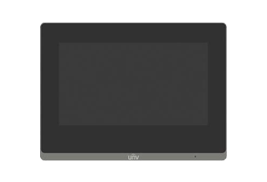
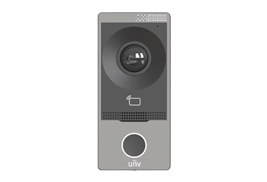
| Device Types | Compatible indoor stations, door stations |
| Device Operations | Bind devices with rooms, bind rooms with indoor stations, remotely control door stations to open doors |
| Call Recipient Management | Add, delete, edit, search call recipients |
| Contacts | Contacts management, use contacts to call indoor stations |
| Video Intercom Call |
| Call Answering | Door station calls management center, indoor station calls management center, management center calls indoor station |
| Call Records | View call and answer records |
| Video Intercom Alarm |
| Video Intercom Alarm Receiving | Receives alarms from indoor stations and door stations |
| Visitor Management |
| Visitor Registration | Enroll visitor face images and license plates (integrated with access control and checkpoint systems for entrance & exit management), custom visitor attribute fields, configure visitor permissions
Search registration records by: registration time, visitor type, visitor name, mobile phone number, feature extraction status, host name, and ID number
Extract face feature via access control devices for sync, with option to re-extract
Enroll visitors via face&ID verification terminals, with quick navigation to terminal enrollment mode settings |
| Visitor Preregistration | Visitor preregistration through the mobile client (requires the app to enable Cloud-Edge mode) |
| Visitor Review | Visitor review through the mobile client (requires the app to enable Cloud-Edge mode) |
| Visitor Sign-Out | Sign out visitors manually
Configure an automatic sign-out time; the system automatically signs out all visitors who have not manually signed out at the specified time |
| Visitor Records |
| Visit Records | Search visitor access records by: registration time, visitor type, visitor name, mobile phone number, host name, and ID number
Export, delete visitor records |
| Area Monitoring |
| Area Monitoring | Set area monitoring tasks that trigger alarms when a visitor is detected in a restricted area or outside permitted time periods
Set a face similarity threshold; alarms are triggered when the similarity exceeds the set threshold |
| Permission Search | Search by device status and device scope
Sync, refresh permissions |
| Attendance Configuration |
| Attendance Rules | Set automatic attendance calculation time (default: 5 a.m) |
| Staff Schedule | Set time periods, manage shifts and schedules (assign shifts to staff members/departments) |
| Holiday | Holiday configuration |
| Attendance Handling |
| Leave | Handle leaves/business travels |
| Re-Sign In&Out | Re-sign in or out, view re-sign in&out records |
| Attendance Statistics |
| Original Data | Search and export original attendance data |
| Attendance Details | Search, export detailed attendance data; calculate attendance |
| Attendance Summary | Summarize and export attendance data |
| Attendance Data |
| Data Export | Export attendance data to an Excel file |
| Data Sync | Sync data to a third-party database (MySQL, PostgreSQL, SQLServer) |
| Counting Resources |
| Counting Area Management | Includes people flow counting area and crowd density monitoring area
Add, delete, edit, search counting areas
Supports quick navigation to smart live view for real-time people flow statistics |
| Counting Operations |
| Real-Time Statistics | Realtime statistics: View live video from people counting cameras with people counting statistics
People flow counting: Displays the number of people that have entered, the number of people that have exited, the number of people allowed to enter, the number of people present, and passage status
Crowd density monitoring: Displays the number of people allowed to enter, the number of people present, and area status |
| Statistical Report | (Only available to people flow counting) Displays counting statistics by month/day/hour/minute; displays statistics as a chart or table |
| Patrol Management |
| Patrol Point Type | Patrol reader
Face detection access control terminal, access controller |
| Patrol Route | Add, delete, edit, search patrol routes |
| Patrol Method | 6 patrol methods available: All Random, First Point Fixed, First and Last Points Fixed, All Points Ordered (Random Interval), All Points Ordered (Fixed Interval), All Points Ordered (Custom Interval) |
| Patrol Schedule | Add, delete, edit, search patrol routes; configure schedule details, holidays, and patrollers |
| Patrol Records | Search patrol records by time, patrol points, etc. |
| CPU |
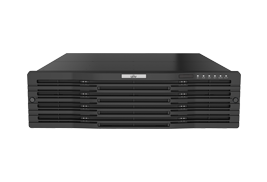
| CPU | Intel Core i3-8100 @3.6GHz |
| Operating System |
| Operating System | Ubuntu-24.04.2 |
| Memory |
| Memory | 32GB |
| System Disk |
| System Disk | SSD 128GB |
| Storage Disk |
| Storage Disk | SATA x 16
eSATA x 1, miniSAS x 2 |
| Video Output |
| Video Output | HDMI x 2, VGA x 1 |
| Network Interface |
| Network Interface | GbE x 4 |
| USB |
| USB | USB2.0 x 2, USB3.0 x 2 |
| Alarm Input/Output |
| Alarm Input/Output | 24 x alarm input, 8 x alarm output |
| Audio Interface |
| Audio Interface | RCA 1 x input, 1 x output |
| Serial Interface |
| Serial Interface | RS232: RJ45 x 1
RS485: RJ45 x 1 |
| Dimensions (L× W x H) |
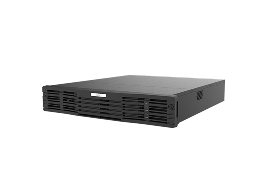
| Dimensions (L× W x H) | 533mm x 481.6mm x 131.5 mm |
| Net Weight |
| Net Weight | <13KG |
| Operating Temperature |
| Operating Temperature | -10℃ to +55℃ |
| Operating Humidity |
| Operating Humidity | 10% to 90% (non-condensing) |
| Power Consumption |
| Power Consumption | ≤ 150W (without HDD) |
| Power Supply |
| Power Supply | Standard 1 power module / optional dual power modules |




_1013732_651984_0.png)








_1036463_651984_0.png)